
Multi-currency expense tracker Spend in any currency. See the total in yours.
Keep an account for each currency you use, at home or abroad. Coinly adds them up in your main currency, at the rate each transaction was saved with.

Coinly is available for Android only. There is no iPhone version.
- More than 150 currencies
- Automatic or manual rates
- Free, no account
Free to download · Android 8.0 or later · Optional in-app purchases
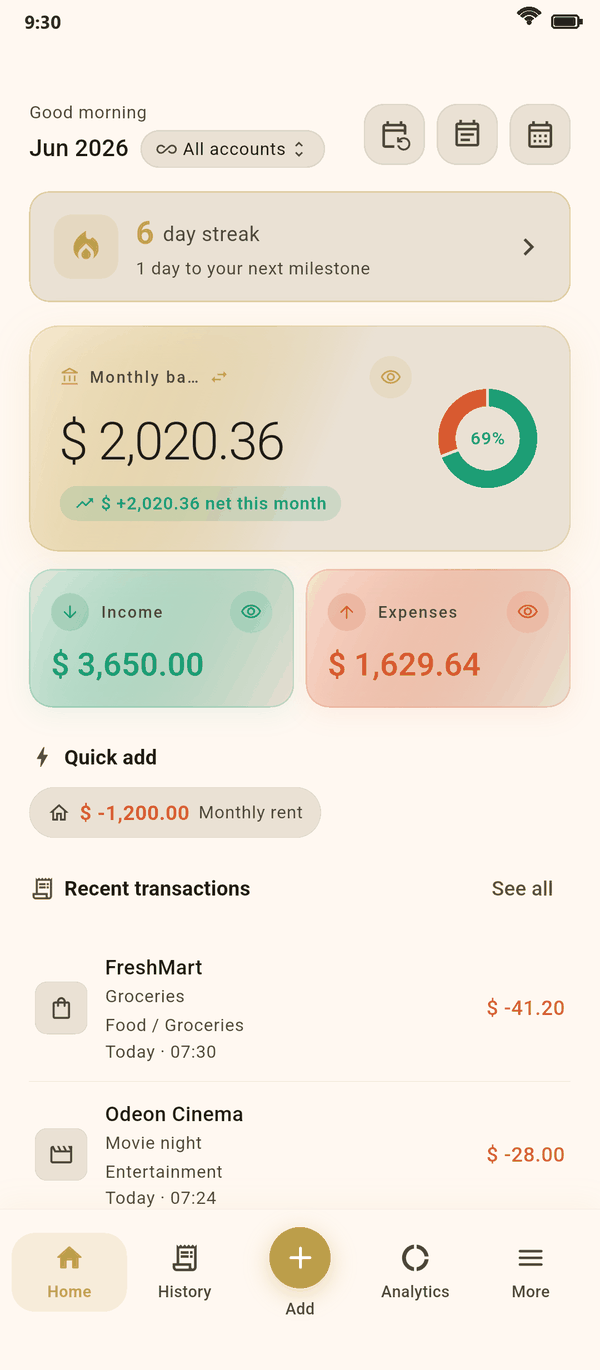
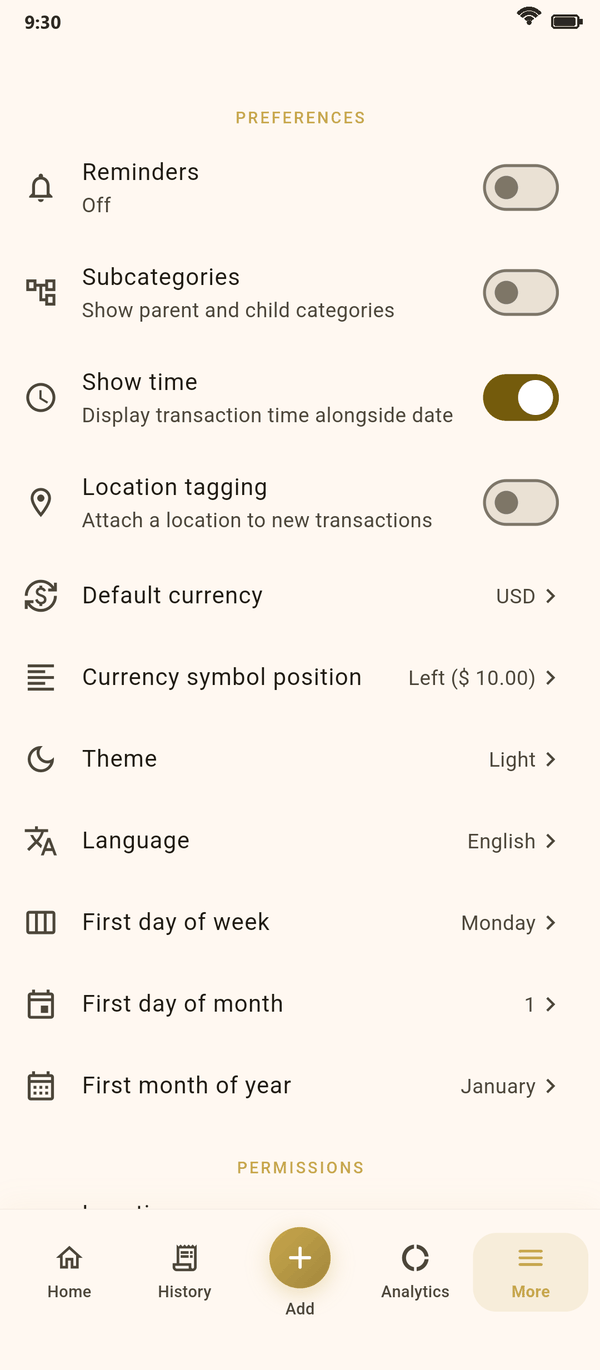
Screens from the app, shown with sample data.
Accounts
One account for each currency
In Coinly, a currency belongs to an account. Keep a euro bank account, a dollar card and a yen wallet side by side, each with amounts in its own currency and the right number of decimals: none for the yen, two for the euro, three for the Kuwaiti dinar.
Your default currency is the one your totals are shown in. Coinly suggests it from your phone's region the first time you open it, and you can change it in Settings.
- More than 150 currencies, searchable by code or by name
- Amounts always entered in the account's own currency
- Totals across all accounts in your default currency
- Budgets, goals and debts kept in the currency of their account
Settings, Preferences: the currency your totals are shown in.
Exchange rates
Rates that leave your history alone
Each currency has its own rate to your default currency, kept by the app or set by you.
Automatic rates
Central-bank reference rates from Frankfurter, checked when you open or return to the app, at most every six hours. Only currency codes are sent.
Or your own rate
Switch any currency to Manual and type the rate your bank or card gave you. It stays until you change it.
Past totals stay put
Each transaction keeps the rate it was saved with, so a rate that moves tomorrow never changes last month's totals.
Automatic updates can be turned off for every currency at once, in Settings, Preferences, Exchange rates.
Transfers
Move money between currencies
Move money from a euro account to a dollar account and Coinly asks how much arrived, in dollars, with a figure worked out from the two rates until you type the real one.
If the amount that arrived differs from what the rates suggest, the difference appears as a currency adjustment on Home, so your balance still adds up.
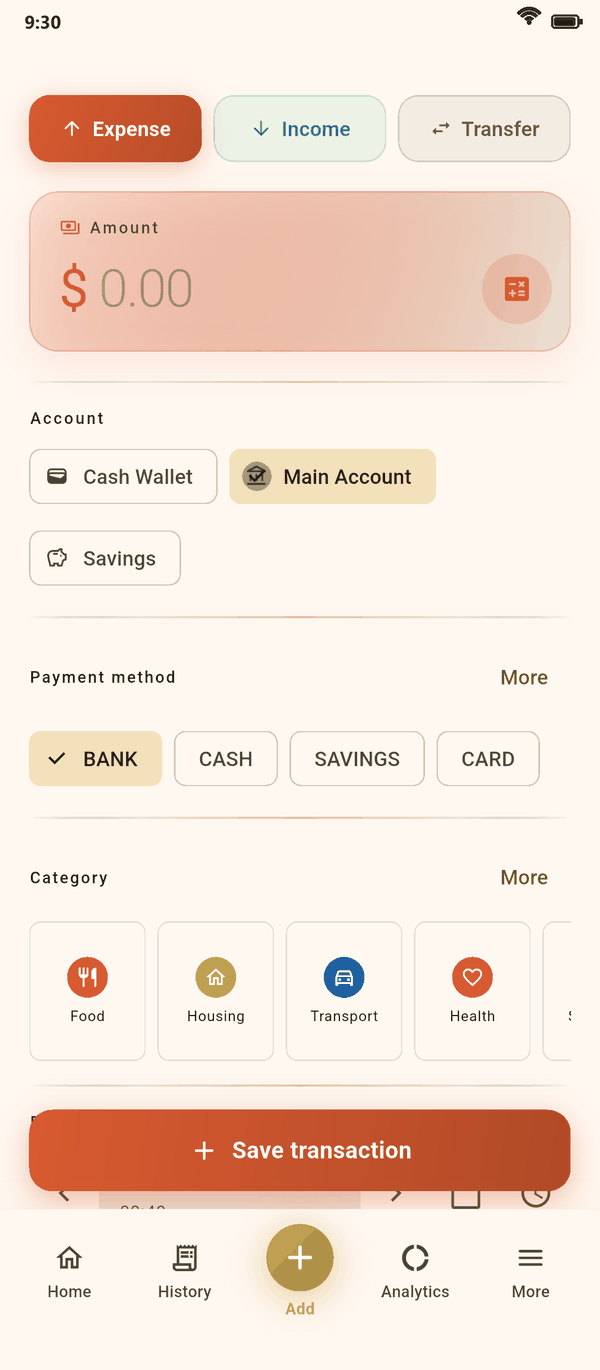
Expense, income or transfer: every amount in its account's currency.
Travel
Keep track of a trip
Four steps, from packing to the final total.
Add an account in the local currency
Before you leave, add a cash or card account in the currency you will spend, such as yen for a trip to Japan.
Make a label for the trip
Create a label such as Japan 2026 and add it to each expense from the trip, alongside its category.
Record as you go
Enter what you pay in yen. Your totals convert each amount at the rate in force when you saved it.
See what the trip cost
Filter History by the label to list every expense from the trip, with the total in your main currency.
Around it
Details that matter when money crosses borders
Exports keep the currency
A CSV export lists each row's currency, the rate it was saved with and the converted amount. Excel and PDF exports show the currency too.
Numbers the way you write them
Choose 1,234.56, 1.234,56, 1 234,56, 12,34,567.89 or another format, and which side the currency symbol goes on.
Debts stay in their currency
A loan in one currency and a loan in another are totalled separately, never added together.
How many currencies does Coinly support?
More than 150, from those with no decimals, like the yen, to those with three, like the Kuwaiti dinar.
Can one transaction be in a different currency from its account?
No. Amounts are always entered in the account's currency. To record spending in another currency, add an account in that currency.
Where do the automatic exchange rates come from?
From Frankfurter, which publishes central-bank reference rates. Coinly asks for them when you open or return to the app, at most every six hours, and sends only currency codes, never your amounts or accounts.
Do old totals change when a rate changes?
No. Each transaction keeps the rate it was saved with, so last month's totals stay as they were.
Can I use my own exchange rate?
Yes. Switch a currency to Manual and type the rate, or turn automatic updates off in Settings, Preferences, Exchange rates.
Can I change my default currency later?
Yes, in Settings, Preferences, Default currency. If you already use several currencies, Coinly asks for the rate between the old default and the new one and converts your totals with it.
More about Coinly
Every currency, one clear total.
Install Coinly, give each account its own currency and see your money in yours.
Coinly is available for Android only. There is no iPhone version.
Free to download · Android 8.0 or later · Optional in-app purchases