Offline expense tracker for Android Your money, on your phone. No account, no bank login.
Coinly keeps your ledger in a database on your device, so you can record and review your spending without a connection. Here is what works offline, and what needs the internet.

Coinly is available for Android only. There is no iPhone version.
- Works without internet
- No sign-up
- No bank connection
Free to download · Android 8.0 or later · Optional in-app purchases
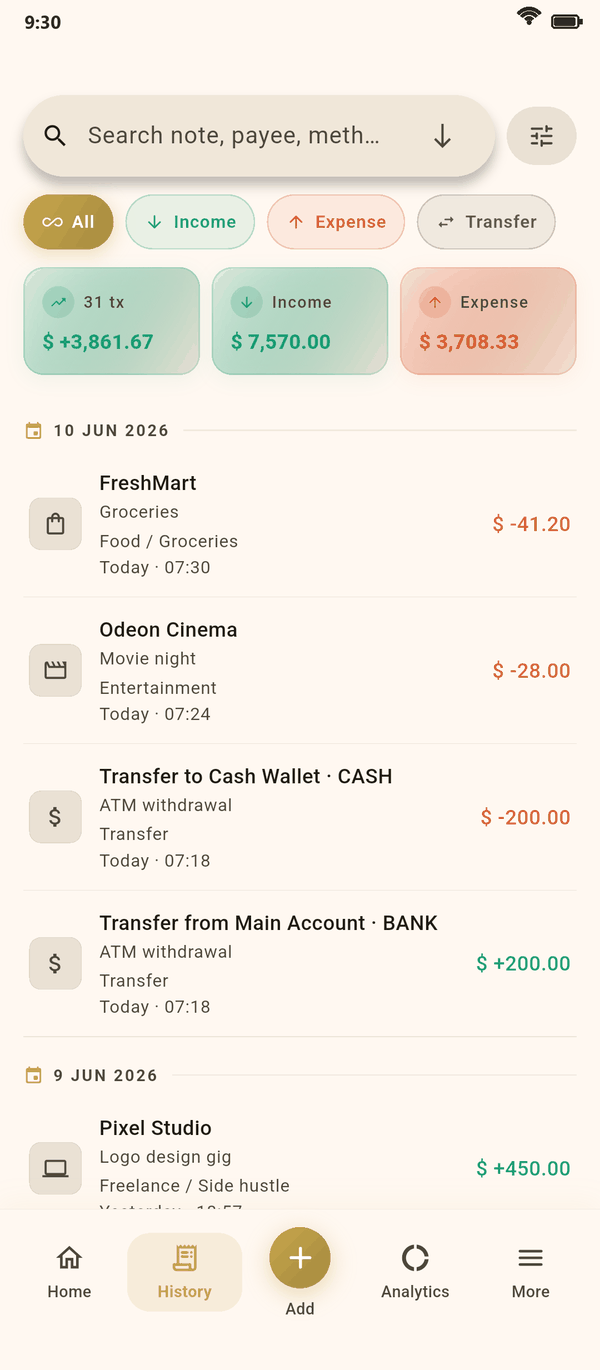
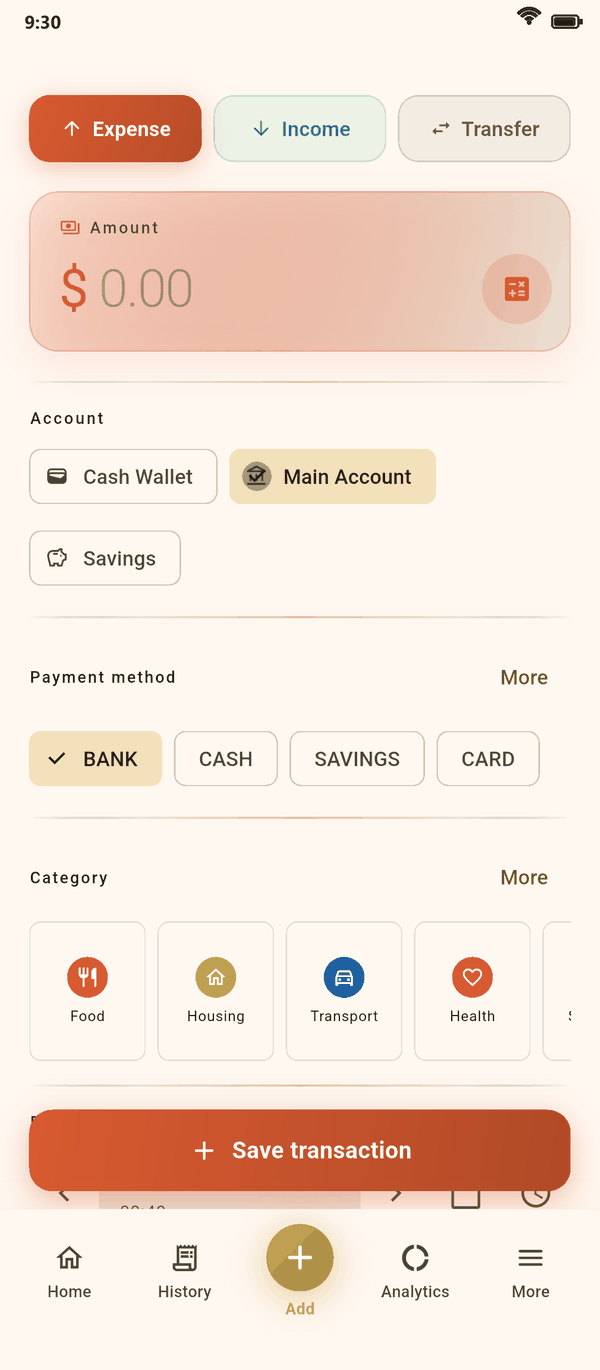
Screens from the app, shown with sample data.
Offline
What works without a connection
Everything that reads or writes your ledger runs on the phone. A few extras need the internet, and say so when they cannot reach it.
| Feature | Without internet |
|---|---|
| Adding, editing and deleting transactions | Works |
| History, search and filters | Works |
| Budgets, savings goals and debts | Works |
| Analytics and the spending calendar | Works |
| Recurring transactions and reminders | Works: both run on the phone |
| Home-screen widgets | Works |
| CSV, Excel and PDF export | Works: the file is made on the phone |
| Backup to a folder, and restore from a file | Works |
| PIN and biometric lock | Works |
| AI capture: a receipt, a voice note, a typed sentence or a bank statement | Needs a connection. Nothing is sent until you start a capture |
| Importing an export file from another app | Needs a connection: Coinly's service reads the file |
| Automatic exchange rates | Needs a connection. Offline, the last rates stay in use |
| Google Drive backup and restore | Needs a connection |
| Buying coins | Needs a connection to Google Play |
When a connection is available, the app also sends crash reports and checks for updates, as the privacy policy describes.
No bank connection
An expense tracker that never asks for your bank login
Coinly does not connect to banks, and there is no account to create. You add what you spend in a few taps, and set up recurring transactions for the bills that repeat.
When you would rather not type, import a bank statement PDF or an export file from another app. Coinly's service reads the file and sends the transactions back as drafts, and nothing is saved until you have checked them.
- No bank login and no sign-up
- Google sign-in only if you turn on Google Drive backup
- No access to your text messages or notifications
Your data
Where your records live
On your phone, and wherever else you decide to put a copy.
On your device
Transactions, accounts, budgets, goals and the receipt photos you attach are kept on the phone. Coinly keeps no copy on a server.
Locked if you like
Turn on a PIN or biometric unlock, and Coinly asks for it each time the app starts.
Backups you choose
Save a backup to a folder on the phone or to your own Google Drive, encrypted by default with a passphrase only you know.
Yours to take
Export your transactions to CSV, Excel or PDF at any time, and keep a copy wherever you want.
Backups
Moving to a new phone
Because the ledger lives on your phone, a backup is how it moves with you.
Make a backup
In Settings, open Backup, then save the file to a folder, share it, or upload it to your Google Drive.
Keep the passphrase
Backups are encrypted by default. Without the passphrase, nobody can open one, and that includes you.
Restore on the new phone
Install Coinly, open Backup and restore from the file or from Google Drive.
A backup holds your transactions, accounts, budgets, goals and debts, with your currency settings. Receipt photos, coins and your PIN are not part of it.
Can I use Coinly without internet?
Yes. Recording and reviewing transactions, budgets, goals, debts, charts, exports and backups to a folder all work offline. AI capture, imports from other apps, automatic exchange rates, Google Drive and purchases need a connection.
Do I need to link my bank account?
No. Coinly has no bank connection and never asks for your bank login. You add transactions yourself, or import a statement or an export file when you choose.
Does Coinly read my text messages or notifications?
No. The app has no permission to read messages or notifications. Transactions come only from what you add or import.
Is there an account to sign up for?
No. Open the app and start. Google sign-in appears only if you turn on Google Drive backup.
What happens to my records if I lose my phone?
Your ledger is on the phone, so keep a backup in your own Google Drive or in a file stored somewhere else. With the backup and its passphrase, you can restore your transactions, accounts, budgets and goals on a new phone.
More about Coinly
Keep your money to yourself.
Install Coinly, add your first expense in seconds and keep your ledger on your phone.
Coinly is available for Android only. There is no iPhone version.
Free to download · Android 8.0 or later · Optional in-app purchases